

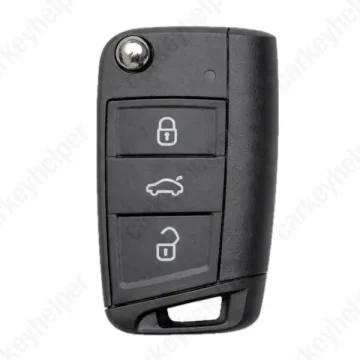
MAN TGE 2021 Remote Key
Remote Key (MQB49)
Overview
Key Type
Remote Key
Markets
EU, SA, ASIA, AUO
Transponder
ID5C (HITAG PRO / NCF29A1)
Integrated
Frequency
315 MHz434 MHz
Transponder Cloning
No
Skill Level
Skilled
Universal Keys
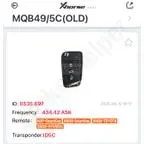
Xhorse 434MHz OLD 5C ID: 0535 697
Test passed
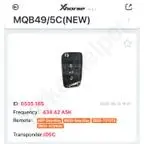
Xhorse 434MHz NEW 5C ID: 0535 185
Test passed
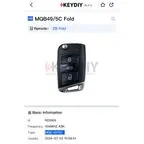
KeyDiy 434MHz ID: R02409
Not tested
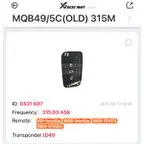
Xhorse 315MHz OLD 5C ID: 0531 607
Not tested
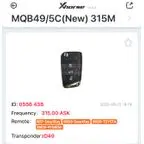
Xhorse 315MHz NEW 5C ID: 0556 438
Not tested
Original Keys
315MHz: 82A837220E, 82A837220F
434MHz: 82A837220H, 82A837220D
Overview
Add key
OBDEeprom/Bench
All keys lost
OBD
System
5C/MQB49
Prepare dealer key
Yes
All keys erased automatically
Yes
Power supply
Recommended (if under 11.5V)
Additional cables required
Yes
Additional cables required (All keys lost)
No
Number of key slots
8
Key Programming via OBD
General Instructions
- Key can be programmed by OBDII with OEM ODIS tester with precoded key.
- Key can be added with aftermarket tools by reading the data from working key (requires key disassembly).
- All Keys Lost currently can be performed only using official method with ODIS.
- SFD-1 (if equipped) can be unlocked with most of aftermarket tools (Xhorse, Autel etc.) with build-in online calculator. For SFD2 GRP Online required.
Add Key (Xhorse)
Using Xhorse Key Tool Plus, the procedure is same for remote and smart keys
Additional Cables and Adapters
Add Key
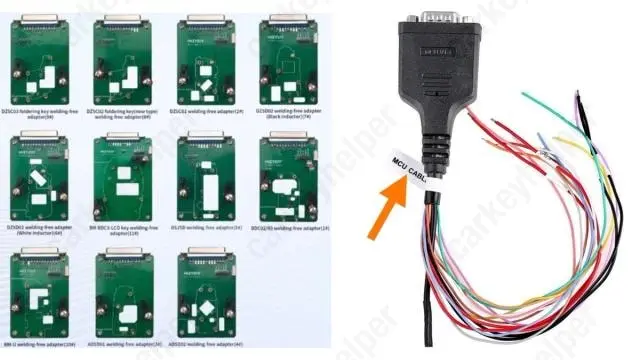
To read data from the original key, you will need an adapter, which most manufacturers include in the kit. Example: an MCU cable from Xhorse KTP. If you don’t want to solder, you will need to purchase adapters separately, for example: KEYDIY Solder-Free adapters or others
Programmers
Xhorse
Recommended
Immobilizer Programming
KYDZ Stone
Recommended
Immobilizer Programming
ODIS Online
Recommended
Immobilizer Programming
Abrites AVDI
EEPROM/Bench Programming


Keydiy KD-X4
Immobilizer Programming
Lonsdor K518 PRO
Immobilizer Programming
TDB1000
Not supported
Code Series
12345-4321-4321 (Audi, Porsche, Skoda, Volkswagen) 10-4-4 Cuts
12345-4321-4321 (Audi, Skoda, Volkswagen) 9-3-3 Cuts
12345-1 (Audi, Seat, Skoda, Volkswagen) 8-1 Cuts
Media
Blade cutting tutorial
Using Xhorse Automatic machine
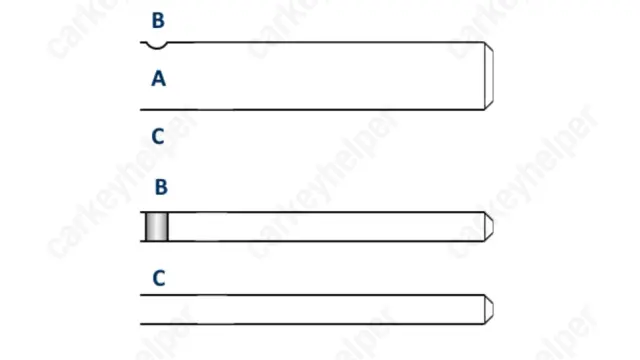
Blade
Overview
Double locked
Yes
Opening direction (LHD)
Counter-clockwise
Decoder capability
Door LockIgnition
Decoding Tips
- Key cutting: After reading 8 cut key use 9 cut key when driving data to Xhorse devices. Use the number 5 in the first place and enter the rest how it was decoded.
- The edge wafers are an unconventional design, each edge wafer will only correspond with one cut position on only one of the milled edge tracks so the opposing cut position needs to be milled to the reverse depth symbol to allow the key to be inserted completely.
Edge wafer 1 = Depth symbols 1 & 4 on their appropriate edge track axis
Edge wafer 2 = Depth symbols 2 & 3 on their appropriate edge track axis
Edge wafer 3 = Depth symbols 3 & 2 on their appropriate edge track axis
Edge wafer 4 = Depth symbols 4 & 1 on their appropriate edge track axis
Media
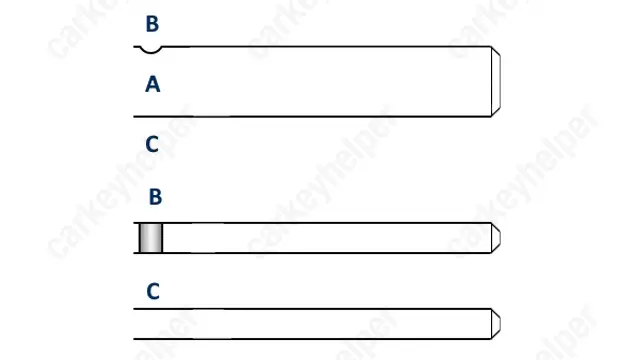
HU162T
Overview
Original key glued
Yes
Synchronizing
Yes
Media